
Most reminder apps wait. Timebly follows through.
An AI assistant for your alarms, reminders and plans. Tell it what you need in plain language and it handles the rest, no menus, no forms.
How Timebly works
Pick a persona for your Timebly.
Your vibe, your rules.
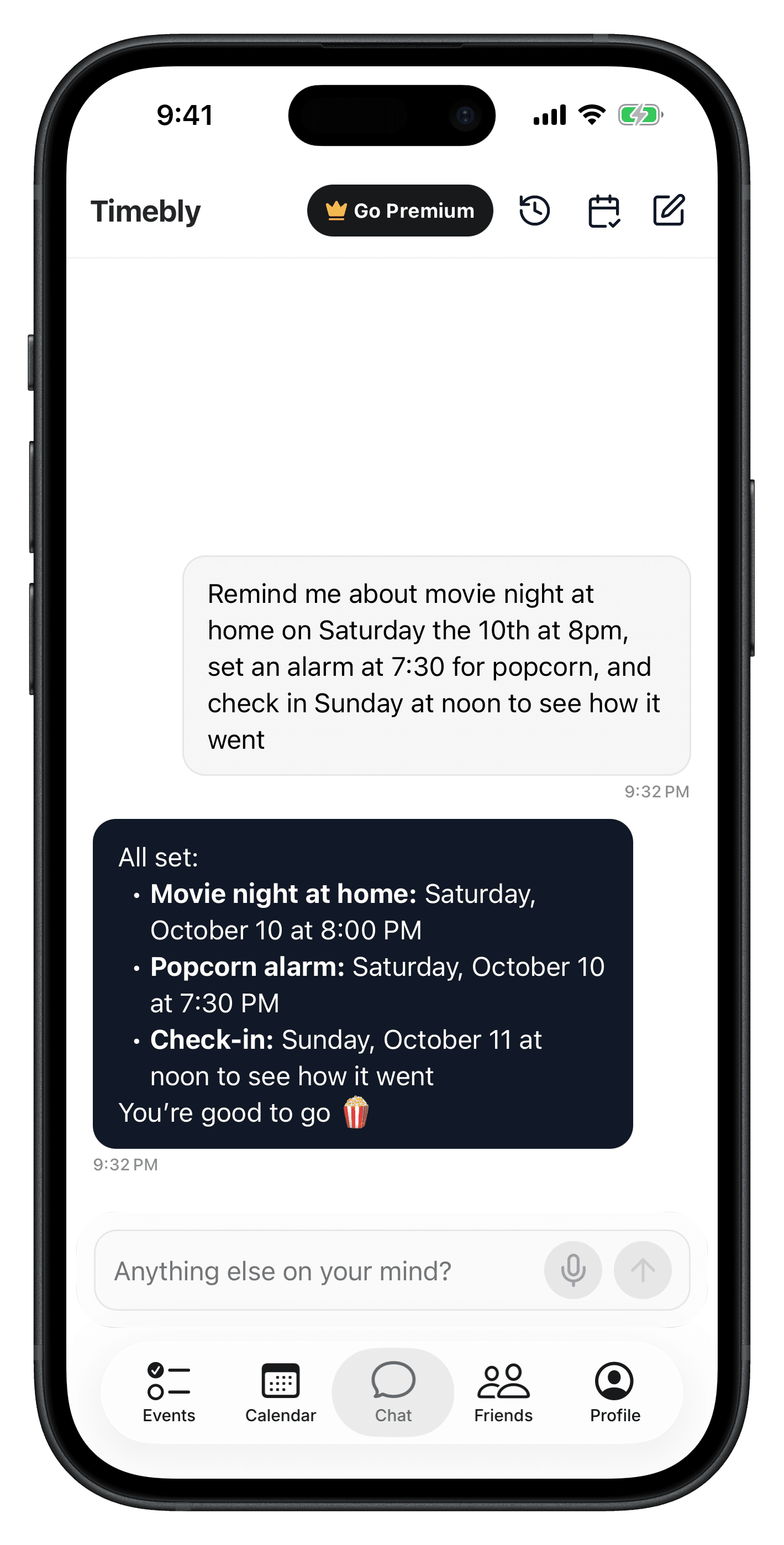
Simple reminders to complex schedules, Timebly can set it.
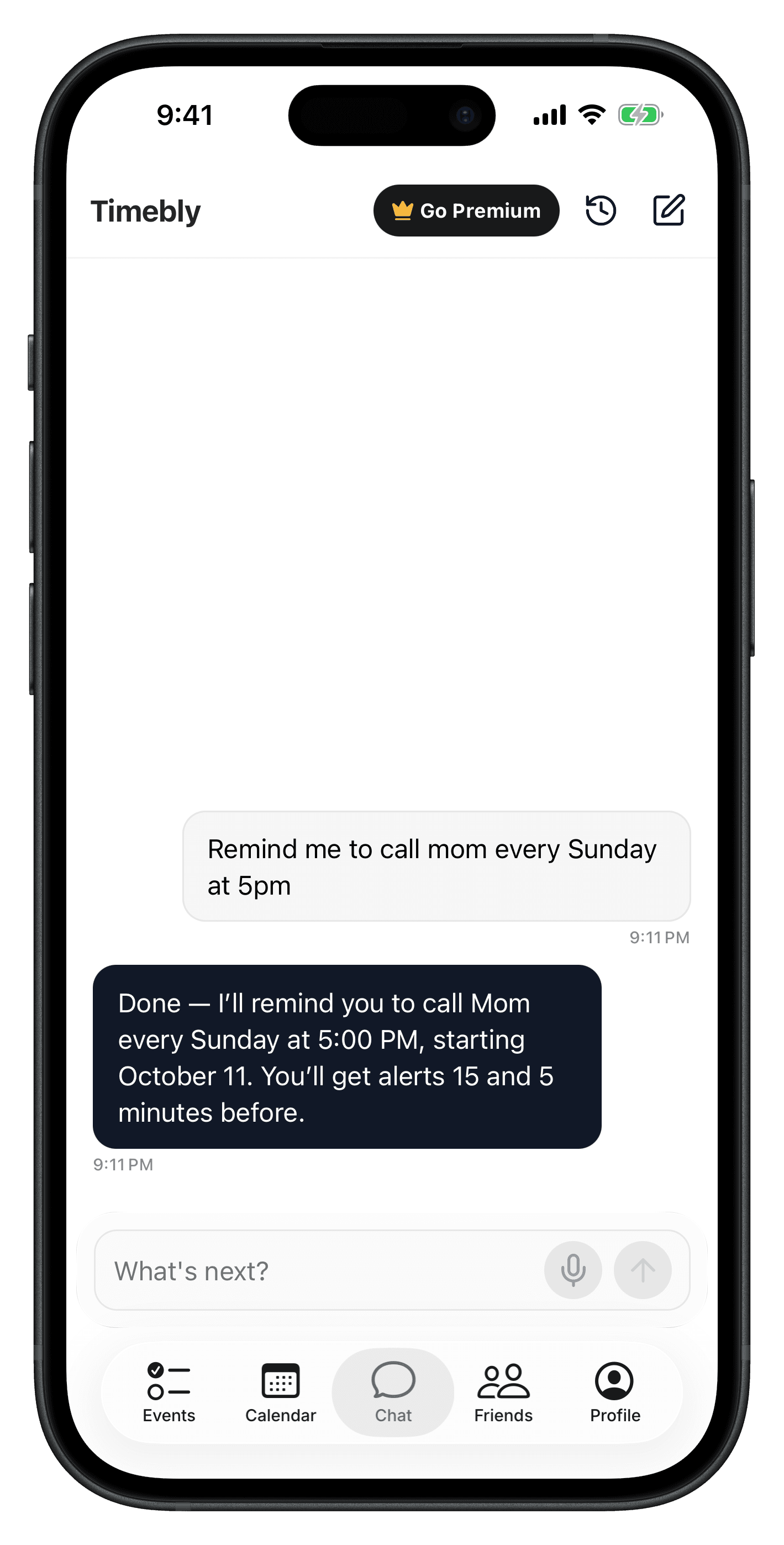
- “Remind me to call mom every Sunday at 5 PM.”
- “Ask me at 5 PM how my exam went and let's make learning plans.”
Timebly follows up when it really matters - at the right time.
Timebly knows your schedule and helps you stay on top of it with ease.
Conflicts are a thing of the past.
Timebly understands your context and takes the next step.
If something is unclear, Timebly asks for clarification before acting.
Social activities to the next level
“Plan a game night with Anna and Ben.”
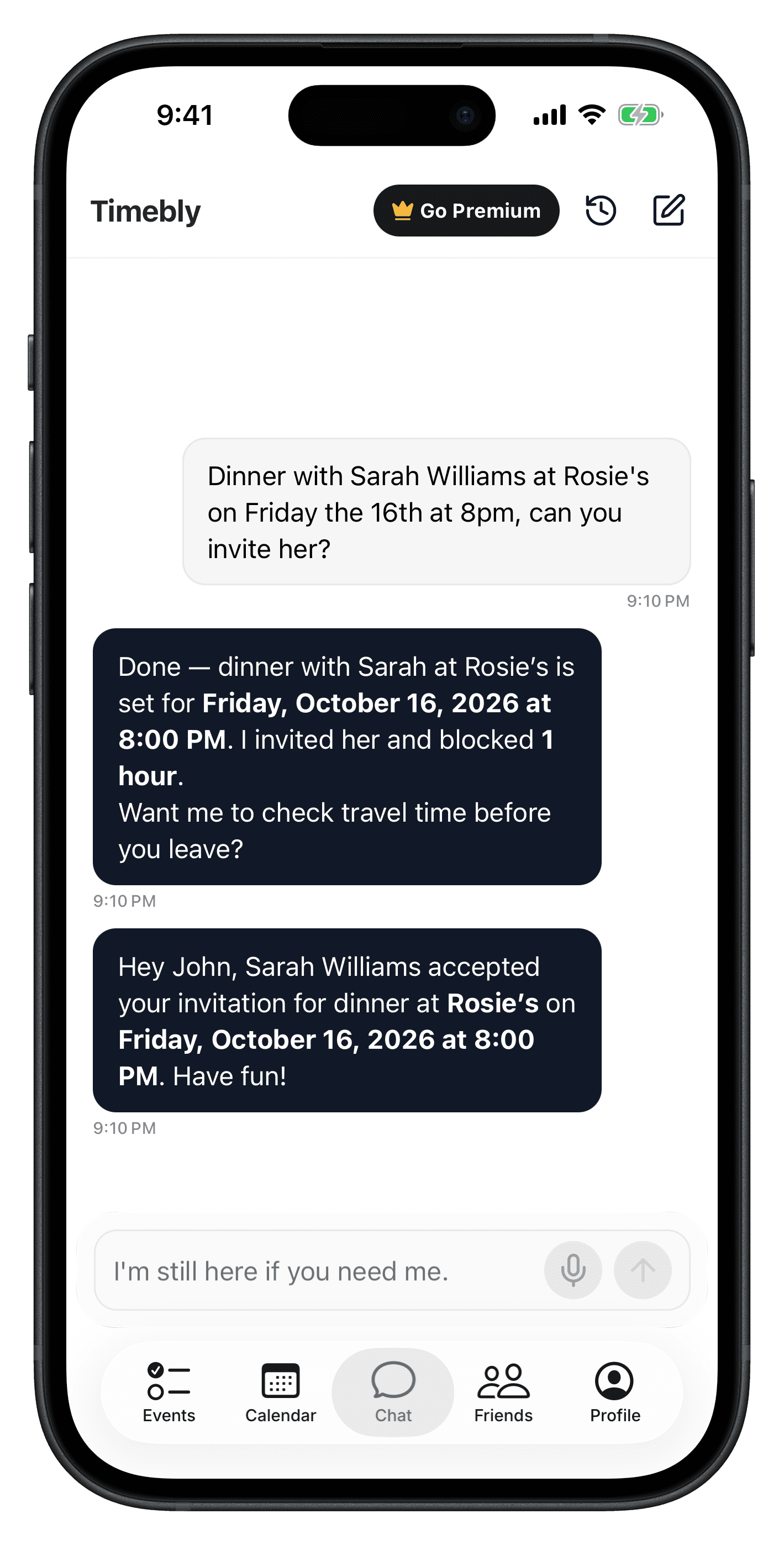
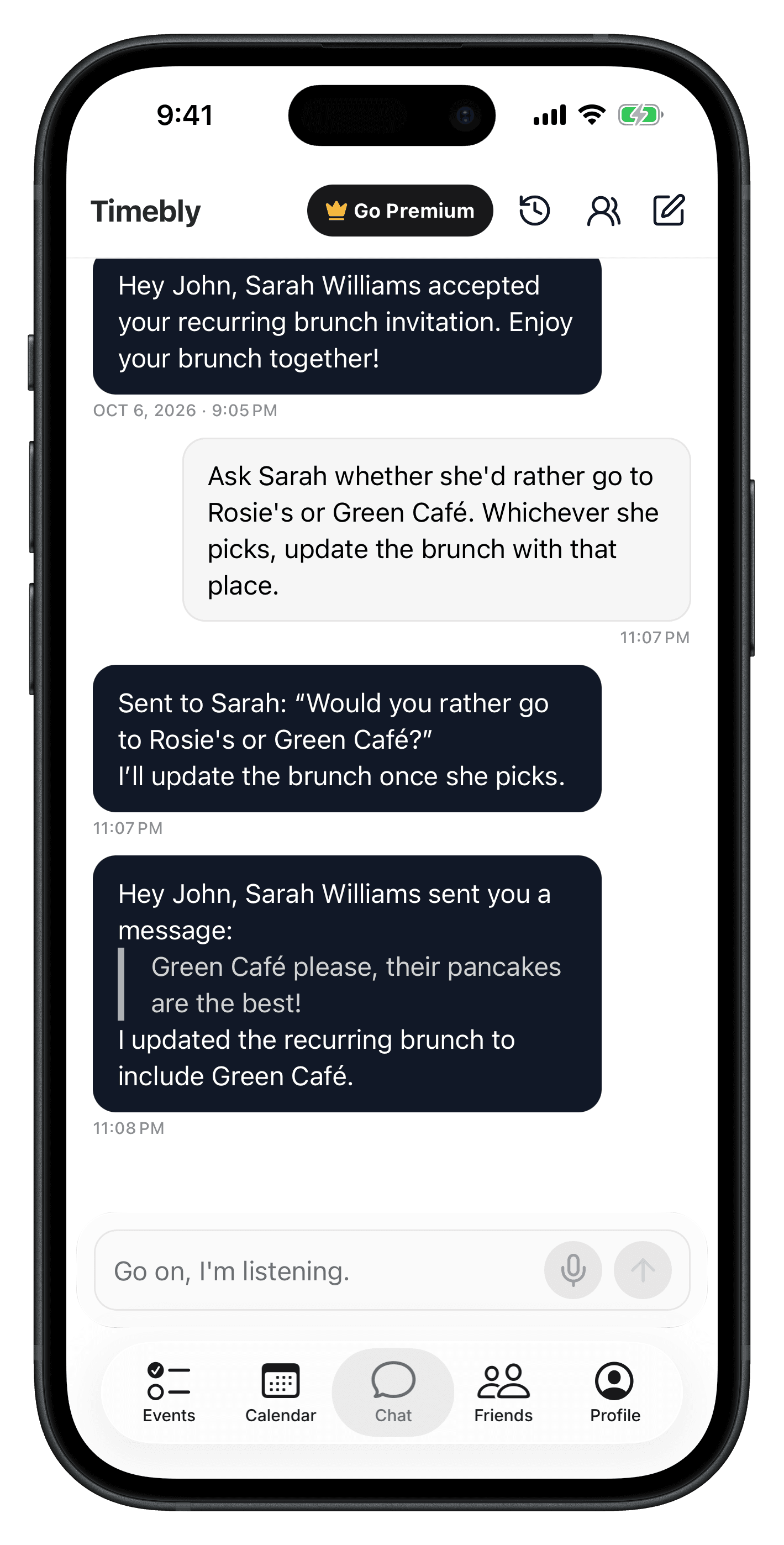
Timebly invites them for you.
Timebly keeps everyone updated.
“Hey Chris, Mia told me she will be late.”
“If Ben doesn’t find his keys, cancel the sleepover.”
Timebly gets the job done.
Beyond commands - Timebly gets you
Because life’s more than checklists
And Timebly knows that well
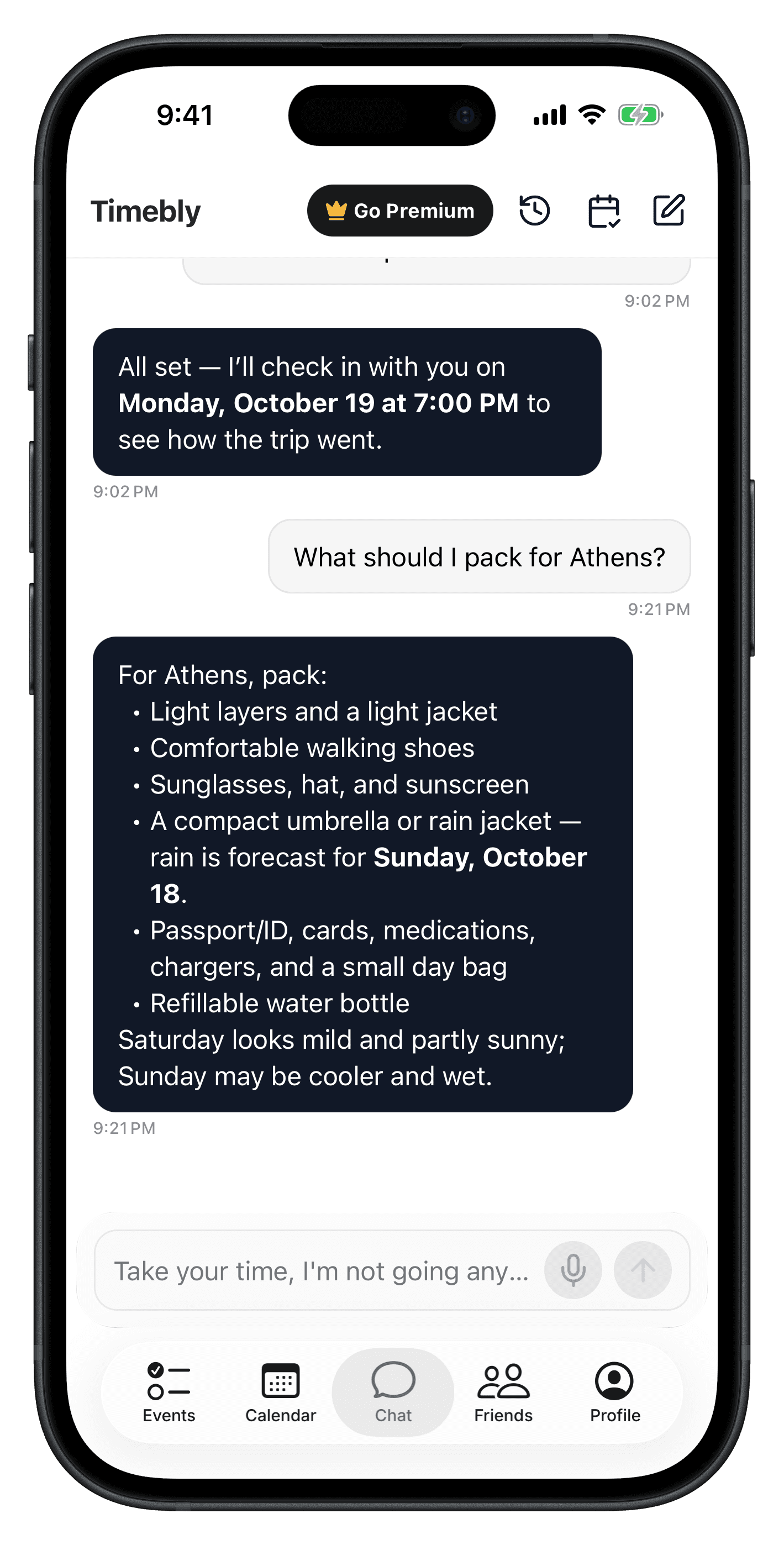
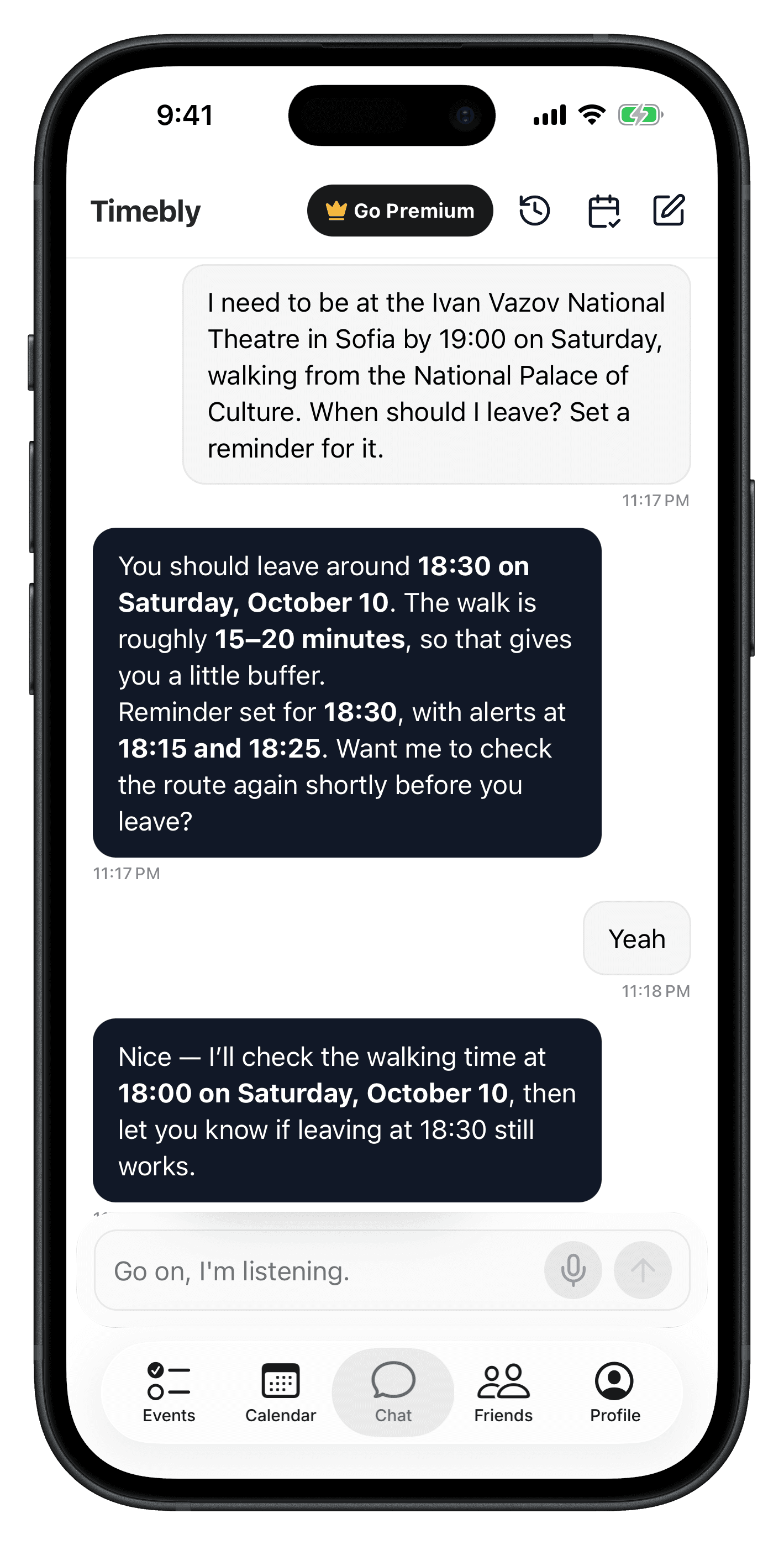
Timebly knows your schedule, location, and preferences, and uses them to help you move through your day with ease. From weather and outfit tips to travel guidance and scheduled nudges - anytime, anywhere.
Your schedule and your calendar
all in one place
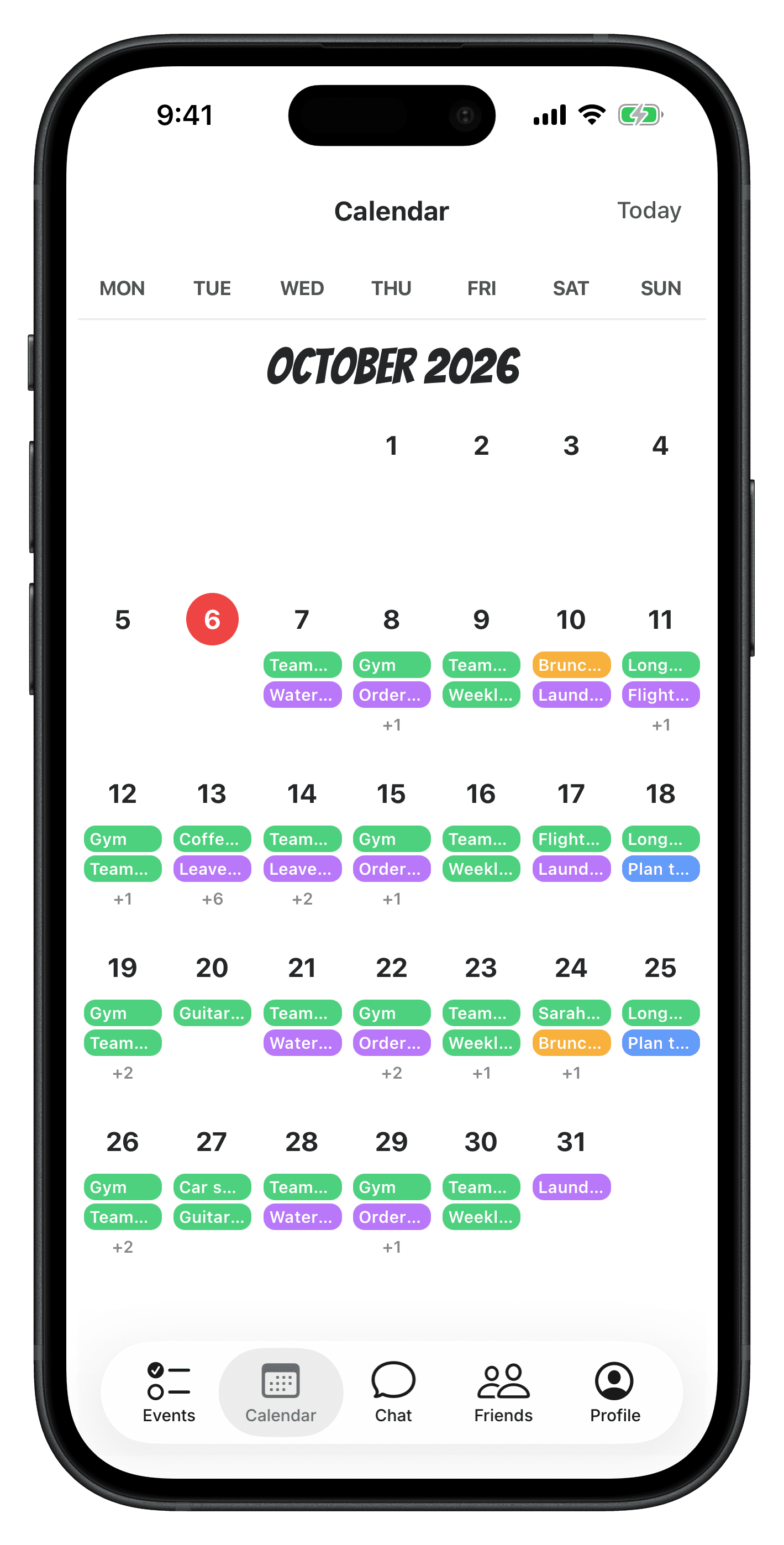
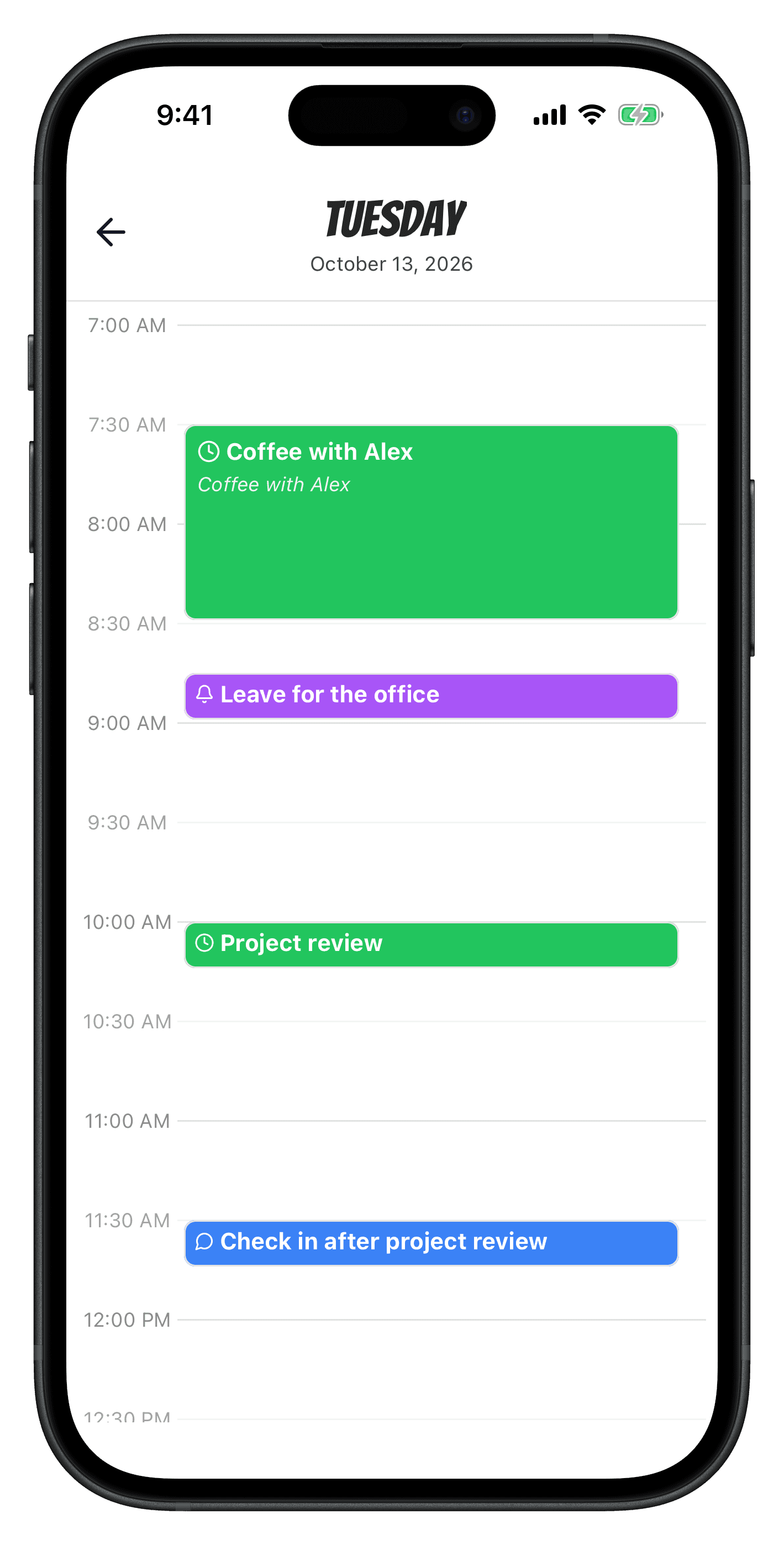
View past and upcoming events, and let Timebly help you stay on top of your schedule with ease. Whether in the chat or in the calendar - your schedule is always up-to-date.
Smart follow-ups
for alarms and reminders
Never let a "what if" slip through the cracks...
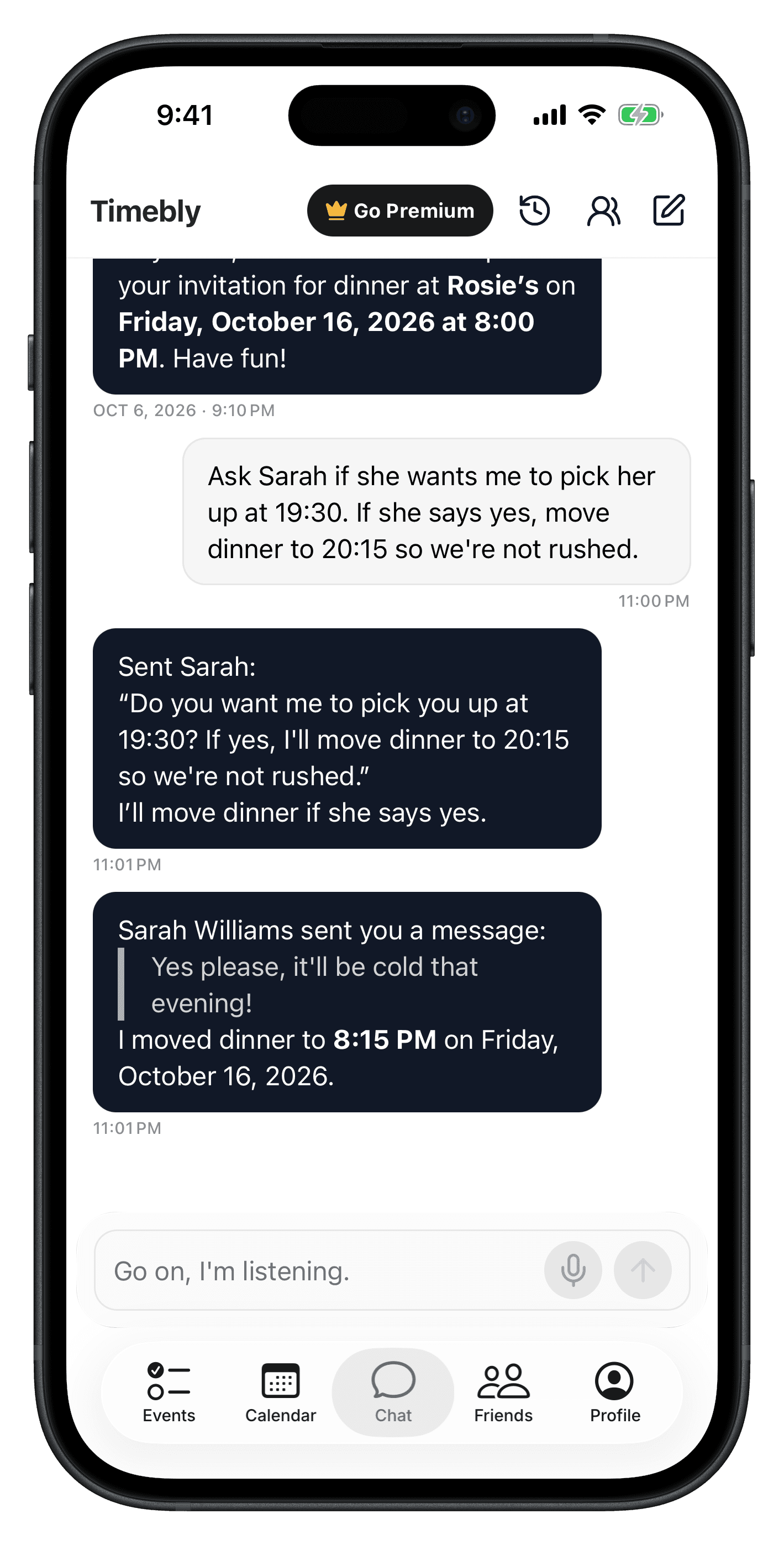
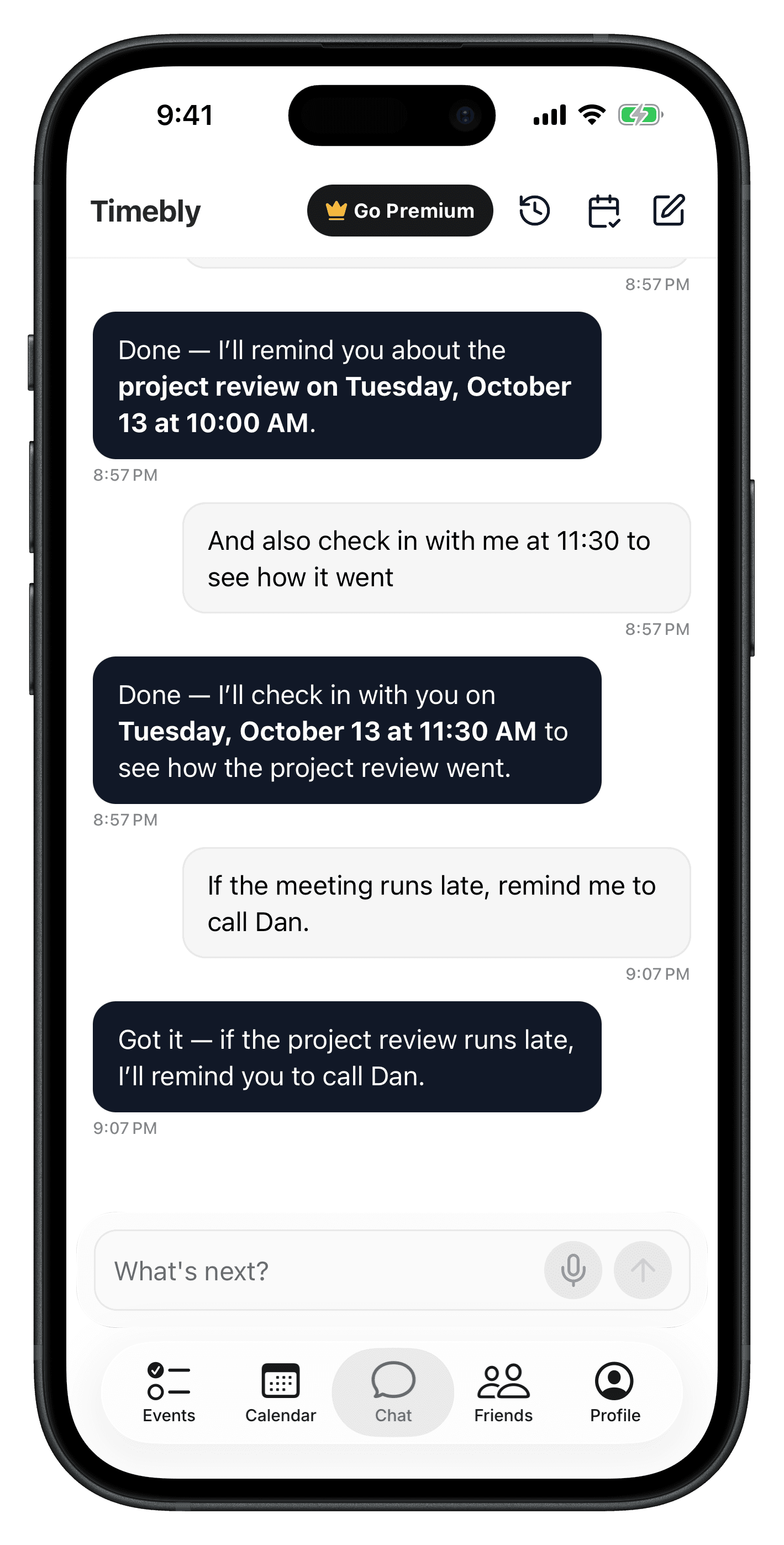
Timebly remembers the context, watches for it, and acts the moment it happens.
"Check traffic before my meeting and give me a heads up."
"See if Ben replied in an hour - if not, ping him again."
"If Sarah agrees, move the event one hour later."
Find Events, Your Way
Ask, or just look.
- "What's on my calendar this weekend?"
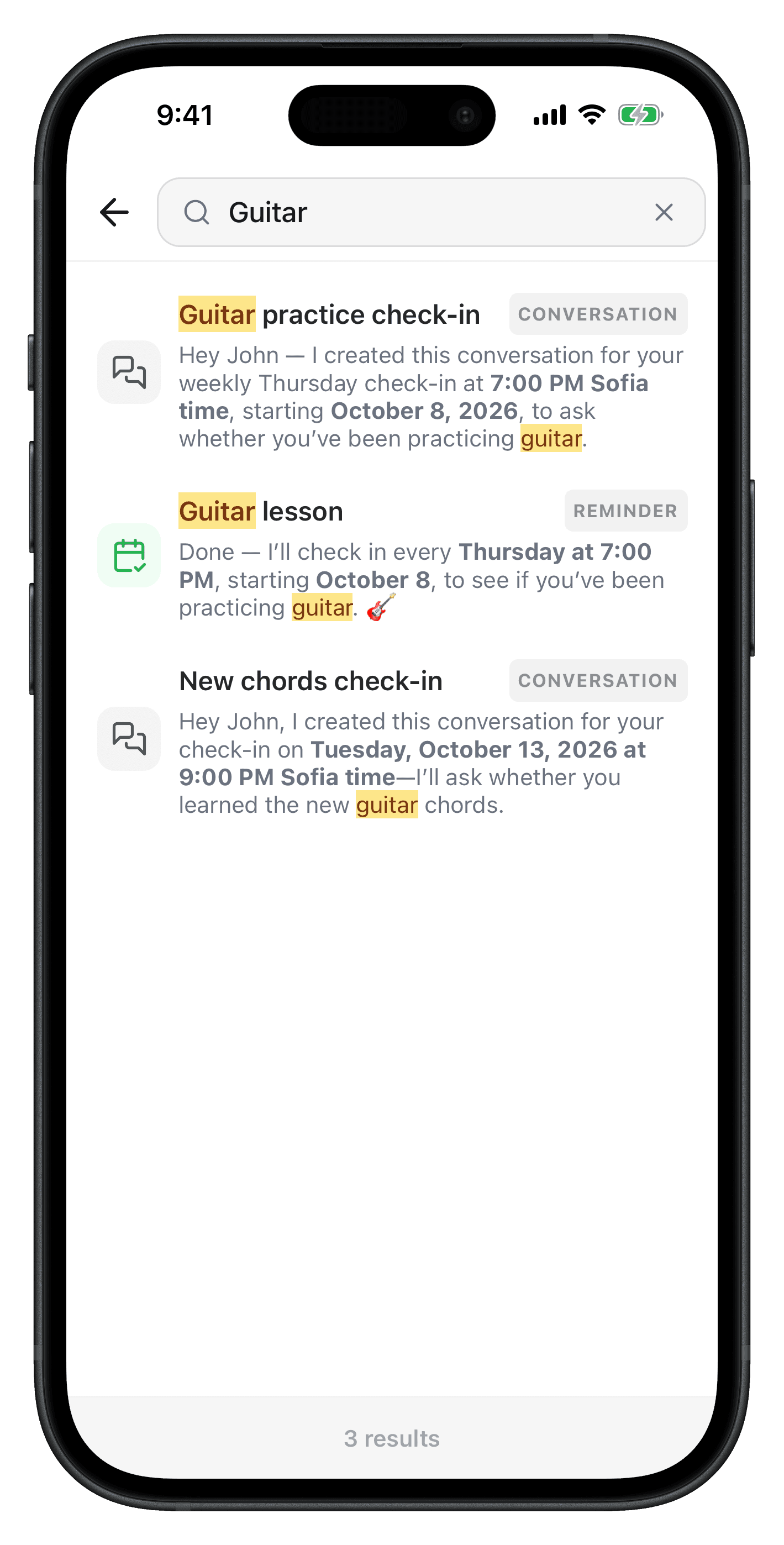
- "When's my next guitar lesson?"
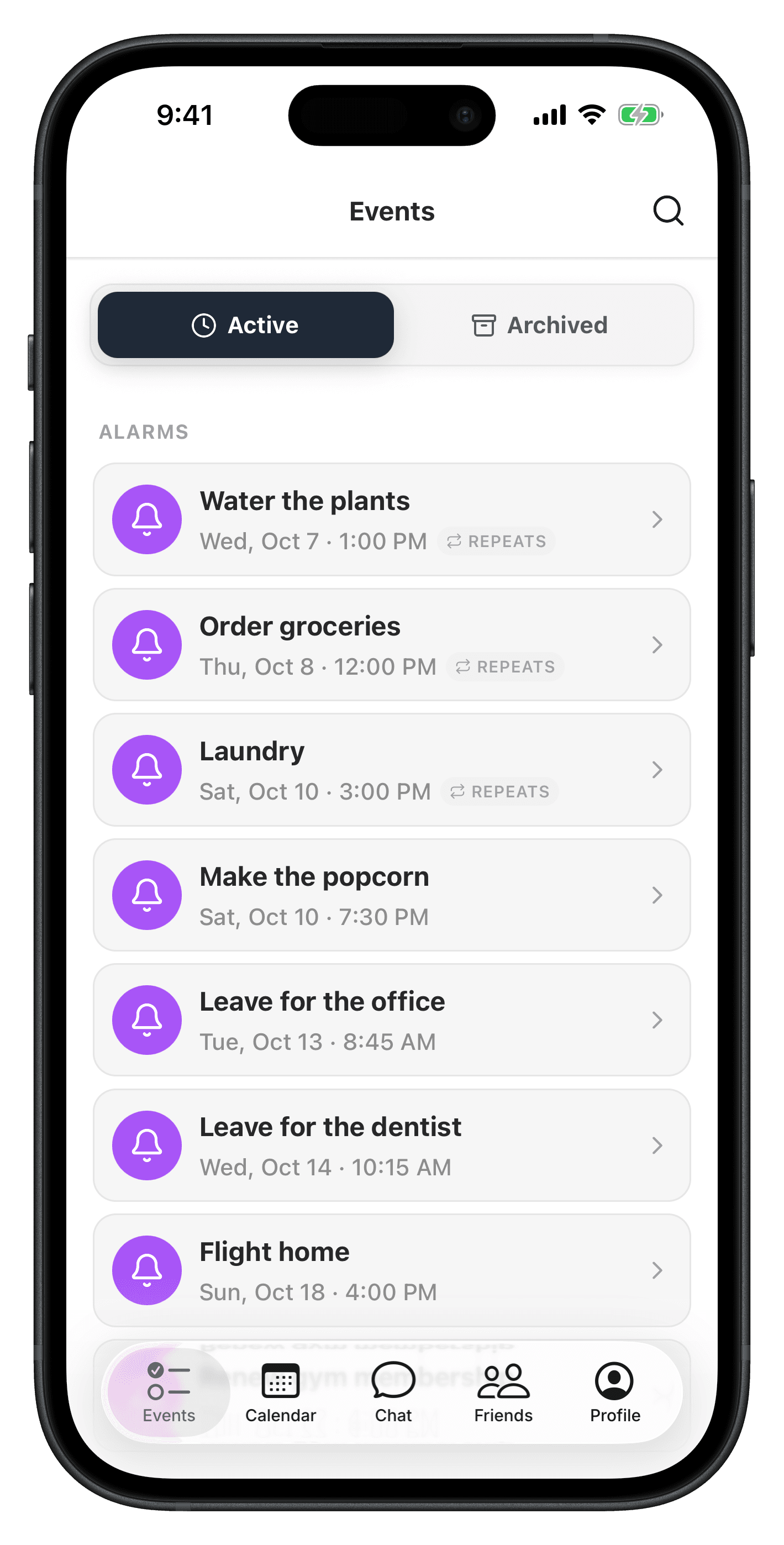
- Browse and search your events straight from the calendar view.
Questions about Timebly
What is Timebly?
Timebly is a conversational AI assistant for your schedule and your plans. Tell it what you need in plain language and it sets alarms, reminders and events for you, with no menus or forms.
Which devices does Timebly work on?
Timebly is available for iPhone (iOS 26.1 or later), Android and the web. Alarms, voice and location-aware suggestions are only available in the mobile apps.
What kinds of events can Timebly create?
Four: alarms, reminders, check-ins and shared events. Just describe what you need and Timebly picks the right one: an alarm to wake you up, a reminder to do something, a check-in when you want Timebly to message you first, or a shared event when friends are involved.
What is a condition?
A condition makes Timebly do something, not just tell you something. You can attach one to any kind of event: an alarm, a reminder, a check-in or a shared event. For example “Check the weather 10 minutes before my guitar lesson” or “If Sarah agrees, move the event one hour later”.
What are memories?
Short facts Timebly keeps about you, such as your preferences, the people you mention and your routines, so you don't have to repeat yourself. Timebly saves them when you mention something worth remembering, or when you ask it to remember something.
Is Timebly free?
Yes. Without an account you get 25 messages per month and with a free account 50. Both include up to 5 memories and 3 active conditions. Premium removes those limits and adds 60 minutes of voice chat per month.